
Boost Your Exam Prep with the Courses App
The Institutes mobile app is included with each designation course purchase and is designed to boost your study time with audiobook-style lessons and even more exam-style practice questions.
Make the Most of Your Study Sessions
Open any Institutes Designation course in the app and benefit from the following:
Listen to Your Lessons Anywhere
Each of your assignments is adapted from your course materials into an audiobook-style experience that’s easy to follow on a commute, walk, or whenever you have time to study:
- Say on track with audio aligned to your course and learning objectives
- Listen your way by adjusting playback speed, skipping forward or back, enabling auto-play, or setting a sleep timer
- Bookmark key moments and attach a note to come back to it later
- Download lessons for easy offline listening
- Note: Audio lessons are designed to complement your online courses and do not replace required course materials or activities.
Build Confidence with Exam-Style Questions
Take the same exam practice questions you use online wherever you go. Work through questions designed to reflect the style and difficulty of your exam, get instant feedback, and dig deeper when you find a challenging concept:
- Build familiarity with questions designed around the content of your exam
- Get instant feedback to understand why an answer is right or wrong
- Ask follow-up questions or request further explanations when you need more help
- Keep practicing from hundreds of questions to build confidence
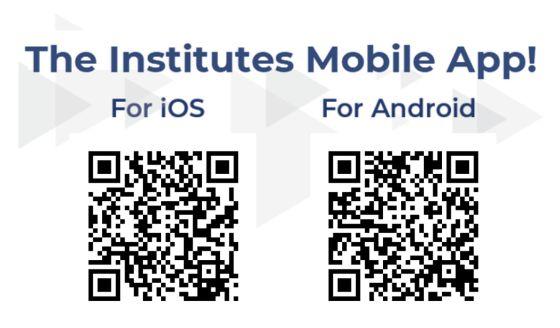
Available on the App Store and Google Play, or scan the QR code to download.
How It Works
- Purchase a designation course from The Institutes.
- Download Courses by The Institutes from the App Store or Google Play.
- Choose Sign in with Institutes Account if you normally access courses at TheInstitutes.org, or Sign in with Company Email if you access courses through your company’s learning management system.

Frequently Asked Questions
General
-
Do I need to update the app manually if I’m taking more than one course?
No. Your course list updates automatically when you enroll in a designation course. If a course doesn’t appear, contact Customer Success at CustomerSuccess@TheInstitutes.org or 1-800-644-2100.
-
Why doesn't my course show up when I download the app?
The app updates automatically when you enroll in a designation course. If a course doesn’t appear, contact Customer Success at CustomerSuccess@TheInstitutes.org or 1-800-644-2100.
-
Which Institutes Designation courses include the app?
All designation courses include the new app, except for Associate in National Flood Insurance (ANFI) courses which use FEMA flood manuals as their primary course materials.
-
How long will I have access to the mobile app?
You will have access to the app for one year from the date of your course purchase.
-
Can I use the mobile app without purchasing a course?
No. It’s available only to students who have purchased a designation course.
-
Is there an additional cost for the mobile app?
No. The Courses app by The Institutes is included with your purchase of course materials.
Audio Features
-
How does the audio relate to my online course?
Audio lessons are drawn directly from your course materials and aligned to the same learning objectives. They’re built to supplement the online course and reinforce what you’ve studied, not to replace required course materials or activities.
-
Are the audio lessons just the course read aloud?
No. Course content is adapted for spoken delivery, so lessons are paced and phrased for listening rather than read word for word.
-
Do the audio lessons count toward course completion?
No. Audio lessons supplement your course and don’t count toward completion or assessment. Completion is tracked through your online course.
-
What playback controls are available for audio lessons?
Adjust playback speed, skip forward or back, pause, enable auto-play, bookmark a moment with a note, and set a sleep timer. You can set a default playback speed and sleep timer in settings.
-
Can I use the audio lessons feature when offline?
Yes. Download lessons ahead of time and listen without a connection.
Security
App Overview
- What it does: Courses by The Institutes gives students in Institutes designation courses mobile access to their course content: audio lessons, offline downloads, and exam practice questions.
- Intended users: Individual students, and employees whose employers provide Institutes courses.
- Developer and operator: The Institutes Lab develops, operates, and maintains the app.
- Hosting: Stored data is in US regions. App data and lesson audio: Supabase on Amazon Web Services (AWS), US East (Ohio). Sign-in: The Institutes' Amazon Cognito service, AWS US East (N. Virginia). Exam practice: an Institutes Lab web application on Railway, US East (Virginia), with its database on Supabase, AWS US East (N. Virginia). Some request processing can happen outside the United States: Supabase Edge Functions run in the region nearest the user, and AI model providers are not pinned to a region.
- Support: The Institutes Customer Success team, CustomerSuccess@TheInstitutes.org. In the app, Settings has a Help link and a feedback form.
- Distribution and updates: Public Apple App Store and Google Play only. Updates install through the stores. The App Store also offers the iPad version on Apple silicon Macs and Apple Vision Pro; those devices are not tested.
- Release cadence: No fixed schedule. Updates ship when fixes or features are ready. Version 1.1.35 is current (October 2026).
Permissions
- Runtime permissions: None. The app never asks for camera, microphone, location, contacts, photos, notifications, or tracking.
- iOS: Background audio mode, so lessons keep playing when the screen locks. The app's iOS settings include a microphone usage description, but the app never requests or uses the microphone.
- Android: Install-time permissions only, all required and granted at install. Internet and network state: to download lessons and detect offline mode. Wake lock and foreground media service: background playback with lock-screen controls. No storage permission: files stay in the app's private storage.
- Other apps' data: Not accessed.
- Clipboard: Not used.
- Device identifiers: The app does not read advertising IDs (IDFA or AAID) or hardware identifiers. Crash reports, and feedback a user chooses to send, include the device model and OS version.
Data Collection and Privacy
- Account data: Email address, name, and organization, from the user's Institutes account or the employer's enrollment list. Internal user IDs.
- Learning data: Course enrollments (from The Institutes' course system), lesson progress and playback position, bookmarks and notes the user writes, exam practice answers and scores, and AI tutor conversations in exam practice. Exam practice stores the learner's name and email with their answers.
- Usage data: In-app events: event name, course and lesson IDs, platform, app version, and the user's internal ID. No name or email.
- Diagnostics: Crash and performance reports. Each report carries an internal user ID and, for Institutes accounts, the organization name. The app removes emails and tokens from reports on a best-effort basis.
- Server logs: The hosting providers' request logs include IP addresses.
- Feedback: Messages a user chooses to send, with the user's name and email so the team can reply.
- PII: Yes: name, email address, organization, internal user IDs, and IP addresses in server logs. No payment or regulated data (see below).
- Not collected: Payment data (purchases happen on TheInstitutes.org, not in the app), location, contacts, photos, health data, or government IDs. The app is not designed to hold regulated data such as health or card data.
- Where data is stored: US regions only: Supabase on AWS (Ohio and N. Virginia), AWS Cognito (N. Virginia), Railway (US East, Virginia), and Sentry (US region).
- Retention: Usage events: 90 days. Exam practice deletes AI conversation text after 30 days, including conversations attached to tutor feedback unless that feedback is still being handled, and its event and error logs after 90 days. A daily job does this and is monitored for failures. Other data has no automatic deletion.
- Third parties: Service providers only. Supabase, AWS, and Railway host the services. Sentry receives crash reports from the app and from the exam practice pages. The exam practice pages also load Google Fonts and, for lesson videos, the Brightcove player. OpenRouter routes exam practice AI tutor requests to AI model providers; tutor answers come from Anthropic Claude models. A status feature sends an excerpt of the tutor's reasoning, without name or email, to an open-weight model (gpt-oss-120b) served by other providers. A tutor request carries the question, the learner's answer, and the learner's messages, but no name or email. Feedback processing uses OpenRouter for AI triage, which sends the user's name, email, message, and device details to the AI model provider. It also uses Voyage AI (search indexing) and Resend (reply emails). The app has no advertising SDKs and no third-party analytics. The AWS Amplify library includes an Amazon Pinpoint analytics module, which the app does not turn on.
- Privacy policy: The Institutes' company-wide policy: https://global.theinstitutes.org/privacy-policy.
- Access and deletion requests: Users or employers email CustomerSuccess@TheInstitutes.org.