
Boost Your Exam Prep with the Courses App
The Institutes mobile app is included with each designation course purchase and is designed to boost your study time with audiobook-style lessons and even more exam-style practice questions.
Make the Most of Your Study Sessions
Open any Institutes Designation course in the app and benefit from the following:
Listen to Your Lessons Anywhere
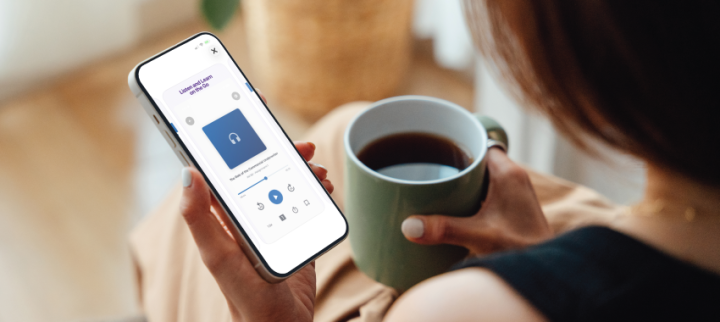
Each of your assignments is adapted from your course materials into an audiobook-style experience that’s easy to follow on a commute, walk, or whenever you have time to study:
- Say on track with audio aligned to your course and learning objectives
- Listen your way by adjusting playback speed, skipping forward or back, enabling auto-play, or setting a sleep timer
- Bookmark key moments and attach a note to come back to it later
- Download lessons for easy offline listening
- Note: Audio lessons are designed to complement your online courses and do not replace required course materials or activities.
Build Confidence with Exam-Style Questions
Take the same exam practice questions you use online wherever you go. Work through questions designed to reflect the style and difficulty of your exam, get instant feedback, and dig deeper when you find a challenging concept:
- Build familiarity with questions designed around the content of your exam
- Get instant feedback to understand why an answer is right or wrong
- Ask follow-up questions or request further explanations when you need more help
- Keep practicing from hundreds of questions to build confidence
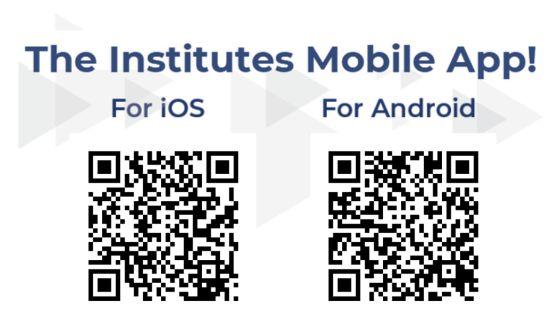
Available on the App Store and Google Play, or scan the QR code to download.
How It Works
- Purchase a designation course from The Institutes.
- Download Courses by The Institutes from the App Store or Google Play.
- Choose Sign in with Institutes Account if you normally access courses at TheInstitutes.org, or Sign in with Company Email if you access courses through your company’s learning management system.
Frequently Asked Questions
General
-
Do I need to update the app manually if I’m taking more than one course?
No. Your course list updates automatically. If a course doesn’t appear, use the synchronization button in app settings to refresh it.
-
Why doesn't my course show up when I download the app?
Use the synchronization button in app settings to refresh your course list. If the course still doesn’t appear, contact Customer Success at CustomerSuccess@TheInstitutes.org or 1-800-644-2100.
-
Which Institutes Designation courses include the app?
All designation courses include the new app, except for Associate in National Flood Insurance (ANFI) courses which use FEMA flood manuals as their primary course materials.
-
How long will I have access to the mobile app?
You will have access to the app for one year from the date of your course purchase.
-
Can I use the mobile app without purchasing a course?
No. It’s available only to students who have purchased a designation course.
-
Is there an additional cost for the mobile app?
No. The Courses app by The Institutes is included with your purchase of course materials.
Audio Features
-
How does the audio relate to my online course?
Audio lessons are drawn directly from your course materials and aligned to the same learning objectives. They’re built to supplement the online course and reinforce what you’ve studied, not to replace required course materials or activities.
-
Are the audio lessons just the course read aloud?
No. Course content is adapted for spoken delivery, so lessons are paced and phrased for listening rather than read word for word.
-
Do the audio lessons count toward course completion?
No. Audio lessons supplement your course and don’t count toward completion or assessment. Completion is tracked through your online course.
-
What playback controls are available for audio lessons?
Adjust playback speed, skip forward or back, pause, enable auto-play, bookmark a moment with a note, and set a sleep timer. You can set a default playback speed and sleep timer in settings.
-
Can I use the audio lessons feature when offline?
Yes. Download lessons ahead of time and listen without a connection.
Retiring Course Companion App
-
Will my quiz history and progress transfer from the retiring app to the new app?
No. Progress does not carry over. You’ll start fresh in the new app.
-
Do I need to delete the retiring Course Companion app from my device?
Once you’ve downloaded Courses by The Institutes, you can delete the old app from your device.